
Construction Accounting Software:
Managing finances is one of the most challenging aspects of running a construction business. From tracking multiple projects and labor costs to managing materials, invoices, and compliance, construction companies face accounting challenges that traditional bookkeeping methods often cannot handle. This is where construction accounting software comes into play. Designed specifically for the construction industry, it helps contractors streamline financial management, improve profitability, and maintain compliance with industry regulations.
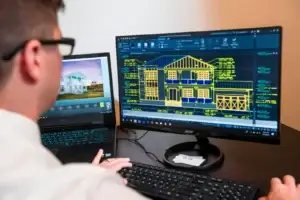
Whether you are a small independent contractor or a mid-sized construction company, understanding how accounting software for construction works and selecting the best construction accounting software for your business can save time, reduce errors, and enhance overall efficiency.
Understanding the Unique Accounting Needs of Construction Businesses
Construction accounting is fundamentally different from standard business accounting. Unlike regular businesses, construction projects involve multiple jobs running simultaneously, long-term contracts, variable costs, subcontractor payments, and materials tracking. Contractors must manage cash flow carefully, track profitability by project, and maintain compliance with federal and state regulations.
Using generic accounting software may not be sufficient. Construction businesses require specialized tools that provide detailed job costing, progress billing, and accurate financial reporting. This is why accounting software for construction contractors has become essential for modern businesses.
The Role of Construction Accounting Software in Financial Management

Construction accounting software centralizes financial information, enabling contractors to manage budgets, expenses, and revenues efficiently. It automates repetitive tasks such as invoicing, payroll calculations, and cost tracking, which reduces human errors and administrative workload. Real-time visibility into project costs and profits allows business owners to make informed decisions and optimize resource allocation.
By using construction accounting software, contractors can also generate reports for stakeholders, including owners, subcontractors, and investors. Accurate reporting ensures transparency and helps maintain strong business relationships.
How Construction Accounting Software Differs from Traditional Tools
Not all accounting software is created equal. Unlike traditional accounting tools, construction-specific software focuses on job-based accounting, allowing contractors to track costs per project. Key differences include:
-
Job costing: Tracking labor, materials, and equipment for individual projects.
-
Progress billing: Issuing invoices based on the percentage of work completed.
-
Retainage tracking: Managing amounts withheld until project completion.
-
Integration with project management tools: Linking schedules, tasks, and budgets seamlessly.
These features allow contractors to accurately measure project performance and profitability, which standard accounting software often cannot provide.
Core Features of Construction Accounting Software
To select the best construction accounting software, contractors should look for the following essential features:
-
Job costing and profitability tracking: Ensures each project remains within budget.
-
Budgeting and cost forecasting: Helps anticipate expenses and manage cash flow.
-
Progress billing and invoicing: Reduces delays and maintains steady revenue streams.
-
Payroll processing: Handles labor burden calculations, overtime, and union requirements.
-
Compliance and tax reporting: Automates regulatory requirements and generates audit-ready reports.
-
Cloud access and collaboration: Enables real-time updates for office and field teams.
These features address the most frequently asked questions contractors have when choosing construction accounting software.
The Importance of Job Costing for Construction Contractors
Job costing is the backbone of financial management for contractors. Without detailed cost tracking, projects can easily exceed budgets, eroding profit margins. Construction accounting software allows contractors to:
-
Monitor labor, material, and equipment costs in real time.
-
Compare estimated costs versus actual expenses.
-
Identify potential overruns early in the project lifecycle.
This functionality answers the common question: “Can accounting software handle job costing for construction projects?” The right software makes cost management straightforward and reduces the risk of financial surprises.
Software Solutions for Contractors of All Sizes

Contractors come in all sizes, from solo operators to large firms managing multiple projects. Accounting software for construction should scale according to business needs:
-
Small contractors: Need simple, easy-to-use tools for basic job costing, invoicing, and payroll.
-
Mid-sized contractors: Require advanced features like project forecasting, multi-job tracking, and integrated payroll.
-
Large firms: Benefit from highly customizable platforms that handle complex reporting, multi-state compliance, and multiple users.
Understanding your business size and needs ensures you invest in software that delivers maximum value.
Cloud-Based Accounting for Construction Operations
Cloud technology has transformed construction accounting. Cloud-based platforms provide real-time access to financial data, enabling field staff and office teams to collaborate effectively. Benefits include:
-
Accessing data from anywhere, at any time.
-
Automatic updates and backups, improving security and reducing IT overhead.
-
Scalability to accommodate growing businesses and multiple projects.
Cloud-based solutions answer questions about accessibility, safety, and convenience, making them ideal for modern contractors.
Payroll and Compliance Management
Construction contractors face unique compliance challenges, including certified payroll, union rules, and multi-state tax regulations. Construction accounting software automates payroll calculations, generates necessary reports, and ensures timely compliance with labor laws. Many contractors use solutions integrated with services such as Payroll Construction Services LLC to streamline payroll and compliance management across all projects. This eliminates manual errors and reduces the risk of audits or fines, addressing one of the most frequently asked questions from contractors: “Do construction contractors need specialized accounting software?”
Cost Considerations When Choosing Accounting Software

The cost of construction accounting software can vary widely based on features, number of users, and subscription type. When evaluating options, contractors should consider:
-
Software pricing and subscription models
-
Implementation and training costs
-
Long-term return on investment (ROI)
-
Balance between affordability and essential functionality
Understanding costs upfront helps contractors avoid unexpected expenses and ensures the software provides value for money.
Evaluating the Best Construction Accounting Software
Selecting the best construction accounting software requires careful evaluation. Important considerations include:
-
Ease of use and learning curve
-
Customer support and software updates
-
Integration with project management, payroll, and reporting tools
-
Industry reputation and user reviews
Top-rated software often combines comprehensive features with user-friendly design, enabling contractors to maximize productivity and financial control.
Popular Construction Accounting Software Options
Some of the most widely used construction accounting software solutions include:
-
QuickBooks for Contractors: Well-known, easy to use, supports basic job costing.
-
Sage 300 Construction and Real Estate: Advanced features for mid-sized to large firms.
-
Buildertrend and Procore: Cloud-based platforms that integrate accounting with project management.
-
Viewpoint and Jonas Construction Software: Comprehensive solutions for complex, multi-job operations.
Evaluating the strengths and limitations of each platform helps contractors determine which solution fits their business best.
Implementing and Adopting Construction Accounting Software
A successful software implementation involves planning and training:
-
Transitioning data from manual systems or older software
-
Configuring jobs, budgets, and payroll correctly
-
Training field and office staff to use the system effectively
-
Ensuring consistent usage across all departments
Proper adoption ensures contractors fully benefit from the investment and improves efficiency across the business.
Challenges Without Specialized Construction Accounting Software
Operating without specialized software can result in:
-
Cost overruns and budget mismanagement
-
Delays in invoicing and payments
-
Inaccurate financial reporting
-
Increased compliance and audit risks
Contractors who rely on spreadsheets or general accounting tools often face these challenges, highlighting the importance of investing in the right construction accounting solution.
Improving Profitability with Construction Accounting Software
The right software enhances profitability by providing:
-
Accurate project cost tracking and margin monitoring
-
Faster invoicing and better cash flow management
-
Reduced administrative workload through automation
-
Insights into project performance for data-driven decision-making
These benefits answer multiple queries contractors have about software value and effectiveness.
Choosing the Right Accounting Software for Your Business

To select the ideal solution, contractors should:
-
Align features with business size and project complexity
-
Consider scalability and future growth
-
Evaluate vendor support and system updates
-
Compare pricing and ROI potential
Making an informed decision ensures contractors select software that supports long-term operational success.
Future Trends in Construction Accounting Software
The construction accounting landscape is evolving with technology. Future trends include:
-
AI-driven cost forecasting and predictive analytics
-
Automated compliance and regulatory reporting
-
Deeper integration with project management systems
-
Mobile-first solutions for field and office staff
Staying aware of emerging trends helps contractors choose solutions that remain relevant in a rapidly changing industry.
Final Thoughts
Investing in specialized construction accounting software is no longer optional for contractors. From accurate job costing and payroll management to real-time reporting and compliance, the right software provides essential tools to manage projects efficiently and improve profitability. By selecting the best construction accounting software that aligns with business needs, contractors can reduce errors, save time, and make smarter financial decisions for sustainable growth.
Frequently Asked Questions
1. What is the best accounting software for contractors?
The best accounting software varies based on business size and needs. QuickBooks suits small contractors, Sage 300 or Viewpoint fits mid-sized to large firms, and cloud platforms like Buildertrend integrate accounting with project management.
2. Which accounting software do construction contractors use most?
QuickBooks, Sage 300, Procore, and Viewpoint are widely used due to their robust features, reliability, and ability to handle job costing and compliance requirements.
3. Is QuickBooks suitable for construction accounting?
Yes, QuickBooks can manage basic job costing, invoices, and payroll, making it suitable for small to mid-sized contractors. However, larger firms may need more specialized software for complex multi-job tracking.
4. What accounting software is best for small construction businesses?
Small contractors benefit from software that is easy to use, affordable, and provides essential job costing, payroll, and billing features. QuickBooks and Xero are popular choices.
5. Do construction companies need special accounting software?
Yes, specialized software handles job costing, retainage, progress billing, and compliance—tasks that generic accounting software may not manage effectively.
6. What features should construction accounting software have?
Key features include job costing, progress billing, payroll automation, tax compliance, real-time reporting, cloud access, and integration with project management tools.
7. Can accounting software handle job costing for construction projects?
Absolutely. Construction accounting software is designed to track labor, materials, and equipment costs per project, helping contractors monitor profitability and prevent overruns.
8. What is the difference between construction accounting software and regular accounting software?
Construction software focuses on project-based accounting, retainage, progress billing, and job cost tracking, while regular software is typically designed for general ledger and standard business expenses.
9. How much does construction accounting software cost?
Costs vary based on features, number of users, and subscription model. Prices range from $30/month for small-scale solutions to several hundred dollars per month for enterprise-level platforms.
10. What is the easiest accounting software for construction contractors to use?
Ease of use depends on familiarity and business size. QuickBooks, Buildertrend, and Xero are known for user-friendly interfaces, minimal learning curves, and strong support resources.